
A closer look: choose your pace with room to pause.
Choose the cabinet first
This reference concerns the supplied Slots games. Play Slots on the home page is the three-reel classic game. Video Slots and Bonus Slots are direct menu links, and Explore offers the other playable modes. Read the cabinet title before using its paytable, because each mode can have different weights, multipliers and features. The examples describe virtual-credit play within this release. Keep the current domain in view when checking saved information.
Read the credit balance
Credits are free practice units with no cash value. A new mode starts with 10,000 credits, and a free refill becomes available below the starting amount when no feature is active. Refills do not count as game awards in the statistics. A mode’s own paytable remains the reference for its awards.
Select the total wager
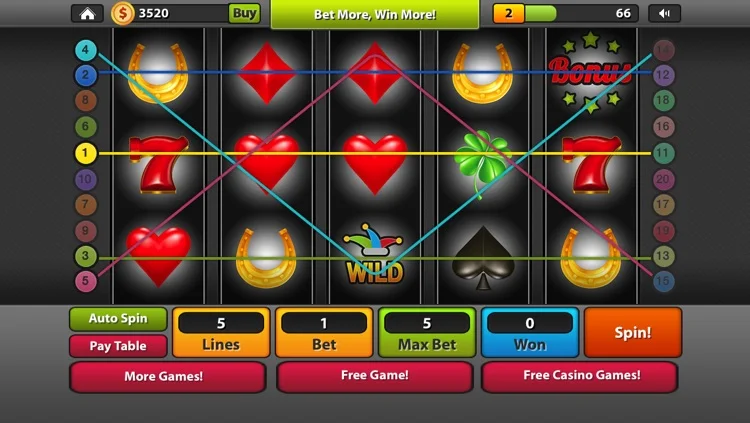
The wager selector shows the complete cost of a paid spin. Classic uses one line; the five-reel games use 20 fixed lines. The per-line amount is displayed separately. Increasing the total scales both the cost and proportional awards without making symbols more likely. Read the active cabinet’s rule panel when applying this explanation.
Press Spin once
One useful detail is explained below. The game deducts a paid wager once, draws the result and records the new state before showing its short reel animation. Controls are disabled while that action is completing. There is no automatic paid-spin sequence in this release, so another paid spin requires another deliberate action. Review one completed result at a time when comparing these details.
Check the outcome
Start by identifying what the number describes. Open Spin result & line explanations to inspect the award calculation. A line pays only if its required run begins on the first reel. For modes with more than one active line, add their separately scored awards to understand the total shown in the meter. The same definitions apply on a phone and a desktop browser. Review the relevant page before using another mode.
Continue an active feature
The main button changes to identify a free spin, respin or collection attempt when one is waiting. Pick Bonus presents three tile buttons instead. These feature actions use the triggering wager and do not charge a new paid wager. The same definitions apply on a phone and a desktop browser. The visible interface identifies the feature currently in use.
Manage sound and display
Keep the scope of the explanation in view. The cabinet includes sound and fullscreen controls. Sound begins disabled and is activated only through your preference. The mobile layout keeps the same rules with smaller controls and an expandable menu. Reduced-motion preferences remove decorative animation. A mode’s own paytable remains the reference for its awards. Review the relevant page before using another mode.
Save or clear your record
Consider this rule alongside the active cabinet. Privacy & Cookie Settings controls first-party game saving and sound. Saving stores this domain's modes on the current browser. Turning saving off clears those saved games, statistics and receipts; it does not delete questions already submitted to the site operator. A mode’s own paytable remains the reference for its awards. Review the relevant page before using another mode.